Frequently asked questions
Is Upsizo really free?
Yes. There are no fees, no sign-up, no watermarks and no daily limits.
Are my files uploaded to a server?
No. Every image and video is processed locally in your browser with WebGPU, WebGL and WebAssembly, so your files never leave your device.
Can upscaling add real detail?
Yes, within limits. The AI engines (Real-ESRGAN) rebuild sharp edges and realistic textures instead of just smoothing pixels. They cannot recover information that was never captured, such as unreadable text or tiny faces, so start with the best source you have.
Why does 8K take longer than 4K?
An 8K image has four times as many pixels as 4K, so it needs more memory and time. On phones with limited memory, 4K or Print mode is more reliable.
Which video formats are supported?
Any MP4, WebM or MOV clip your browser can play. The result is saved as MP4 or WebM depending on your browser, with the original audio when present.
How big can the image be?
The output can be up to 16384 px on its longest side — 8K is 7680 px, and the 300 DPI print presets cover common poster sizes. Very large outputs need more memory, so phones and older computers may need a smaller size.
Can I upscale many images at once?
Yes. Drop or select up to 50 images; they are processed one after another with the same settings and you can download them together as a ZIP.
Can I use the results commercially?
Yes. The images you create are yours to use in shops, prints and client work. Upsizo claims no rights over your files and adds no watermark.
Does it work on my phone?
Yes, in any modern mobile browser. Phones have less memory, so 8K images and long videos can be slow or limited; 2K and 4K work well on most devices.
Which file formats are supported?
You can open JPG, PNG, WebP, AVIF, GIF and BMP images (HEIC where your browser supports it) and save them as PNG, JPG, WebP, PDF or TIFF. Videos: MP4, WebM or MOV up to 60 seconds.
Is AI upscaling better than simply enlarging?
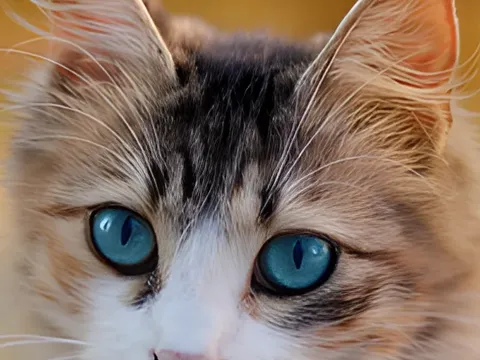
Simple enlarging only stretches the pixels, so the picture gets softer. The AI model was trained on many photos and redraws edges, textures and fine lines at the new size. It can't recover details that were never captured, but the result is much sharper and cleaner.



 MB → KB
 PNG · JPG · WebP
 A4 · 300 DPI
 72 → 300 DPI